



































































































ChatGPT Butler
 Guide3 min read
☷Table of contents▾
ChatGPT Butler
Freemium
ChatGPT Butler: Your Website Assistant
VISIT WEBSITE
Introduction:
Are you tired of searching through countless websites for answers to your questions?
Introducing ChatGPT Butler, the ultimate website Q&A assistant powered by natural language processing.
With this browser extension, you can seamlessly integrate ChatGPT, a powerful AI model, into any website. Ask your questions in a natural and human-like manner, and receive intelligent and informative responses instantly.
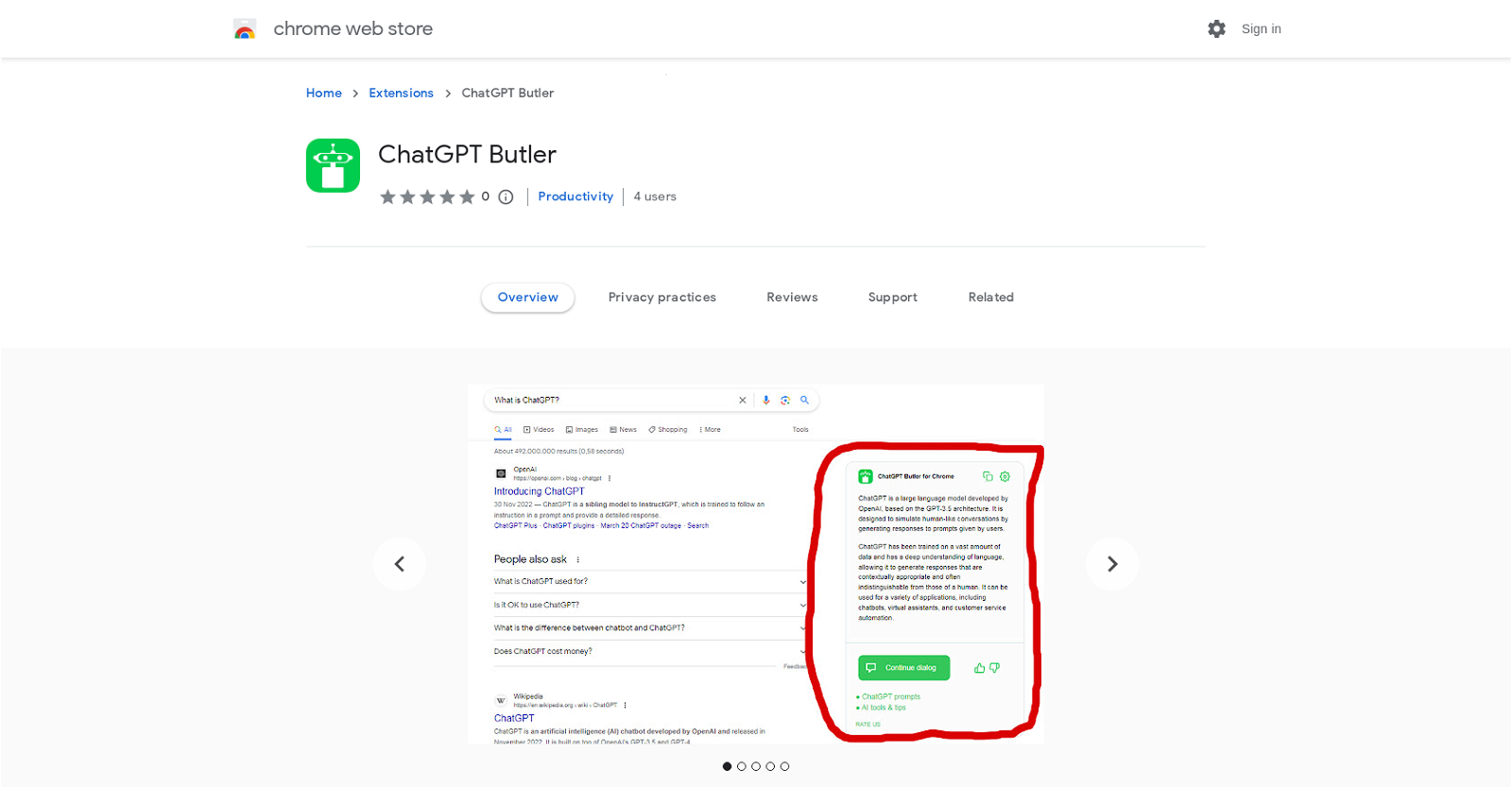
But that’s not all. ChatGPT Butler also integrates with popular search engines like Google, Bing, and DuckDuckGo. Simply enter your query into the search field, and the extension will display the AI answer alongside the search results, eliminating the need to visit external websites or repeat your question on other platforms.
Experience additional features such as custom trigger mode, day/night view selection, and the ability to copy responses to the clipboard. ChatGPT Butler ensures you always receive the most precise and current information, thanks to ChatGPT’s cutting-edge technology.
Ready to enhance your productivity and knowledge acquisition? Install ChatGPT Butler as a browser extension and log in to the chat.openai.com website. Please note that it is recommended to disable or uninstall any parallel ChatGPT extensions to avoid compatibility issues.
Want to earn with the tools you are reading about?
The $50K AI Income Roadmap: 20 modern ways to earn with AI, with steps, prompts and real numbers. Free, one chapter a day.
Discover a seamless and convenient way to access the intelligent capabilities of ChatGPT directly on any website or through popular search engines. Say goodbye to endless searches and hello to instant, accurate answers with ChatGPT Butler.
Overview:
ChatGPT Butler is a browser extension that integrates ChatGPT, a powerful AI model, into any website. With ChatGPT Butler, users can obtain intelligent and informative responses to their inquiries in a natural and human-like manner. The extension adds a Chat GPT assistant button directly onto the website, allowing users to ask questions and receive instant helpful responses.
One of the key features of ChatGPT Butler is its integration with popular search engines like Google, Bing, and DuckDuckGo. Users can simply enter their request into the search field, and the extension will display the AI answer to their question alongside the search results, eliminating the need to visit external websites or repeat the question on other platforms.
In addition to its search capabilities, ChatGPT Butler offers additional features such as a custom trigger mode, day/night view selection, and the ability to copy responses to the clipboard. The extension is designed to ensure that users always receive the most precise and current information thanks to ChatGPT’s cutting-edge technology.
To get started with ChatGPT Butler, users need to install it as a browser extension and log in to the chat.openai.com website. It is important to note that ChatGPT Butler may not work with other ChatGPT extensions installed in parallel, so it is recommended to disable or uninstall them if any issues arise.
Overall, ChatGPT Butler provides a seamless and convenient way to access the intelligent capabilities of ChatGPT directly on any website or through popular search engines, enhancing user productivity and knowledge acquisition.
Benefits:
- Integrates ChatGPT, a powerful AI model, into any website
- Provides intelligent and informative responses to inquiries in a natural and human-like manner
- Adds a Chat GPT assistant button directly onto the website for easy access to ask questions
- Integrates with popular search engines like Google, Bing, and DuckDuckGo to display AI answers alongside search results
- Offers additional features such as custom trigger mode, day/night view selection, and the ability to copy responses to the clipboard

The TechLaugh editorial team, led by founder Akshay Kumar Singh, tests AI tools on real marketing and creative work. We check pricing on the day of writing, note free-plan limits, and update guides when tools change or shut down.