



































































































Spellbound Review 2026: Is the Mac AI Writer Still Worth It?
 Review2 min read
☷Table of contents▾
What is Spellbound?
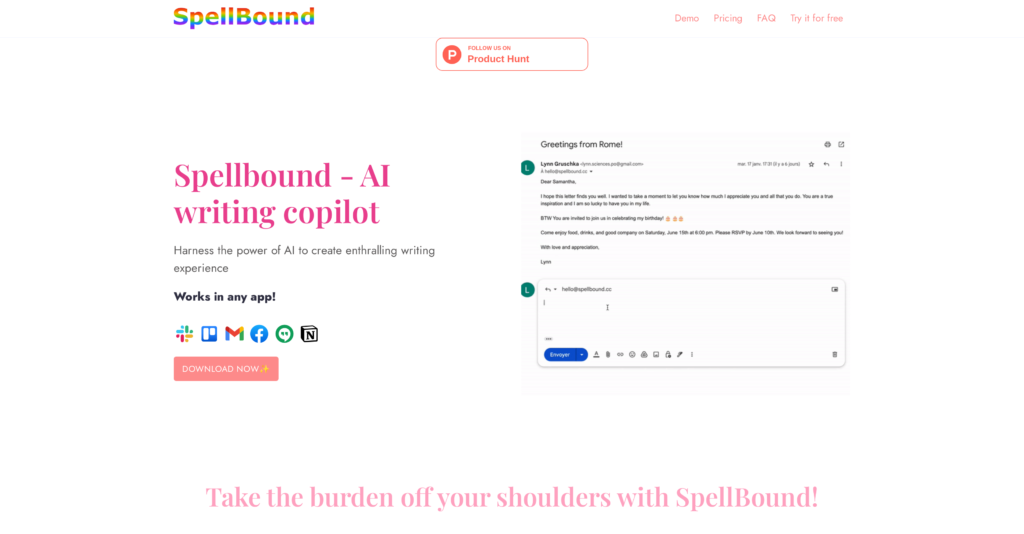
Spellbound (spellbound.cc) is a macOS menu-bar writing assistant. It works system-wide: in Mail, Slack, your browser — anywhere you write — a pop-up offers rewriting, grammar fixes and instant replies without switching apps. It requires macOS 13 or later, and during onboarding it asks for an OpenAI API key that powers the AI underneath.
Key features
- Tone Wizzard: rewrite text to sound more professional, friendly or concise
- Grammar Genius: AI grammar, spelling and clarity corrections
- Quickfire Replies: instant response drafts for messages and email
- System-wide pop-up on Mac — works inside any app
Pricing (verified August 2026)
Personal — $3.99/month: all core features, unlimited devices, 7-day free trial. Business — $49.99/month: adds templates, integrations and analytics. Remember you also supply the OpenAI API key, which bills separately based on usage.
Pros and cons
Pros: works in every Mac app; very low subscription price; privacy-friendly (no message storage claimed); fast for one-line fixes.
Cons: built on GPT-3-era models; bring-your-own API key adds cost and setup friction; Mac only; development pace appears slow while Apple Intelligence and ChatGPT desktop now cover much of this for free.
Who should use it
Mac users who want a tiny, always-available rewrite tool and don’t mind the API-key setup. If you want a modern assistant, ChatGPT’s desktop app or built-in Apple Intelligence writing tools have largely caught up — free.
FAQs
Does Spellbound work on Windows?
No — it’s macOS only (13+). An iOS version has been mentioned but the core product is the Mac app.
Why does it ask for an OpenAI API key?
The app uses your key to call OpenAI’s models directly. You pay OpenAI for usage on top of the Spellbound subscription.
Is there a free trial?
Yes — 7 days, and a refund window after purchase.
Serious about AI writing? Compare the heavyweights in our SEO & writing AI tools guide.

The TechLaugh editorial team, led by founder Akshay Kumar Singh, tests AI tools on real marketing and creative work. We check pricing on the day of writing, note free-plan limits, and update guides when tools change or shut down.
Join the conversation