



































































































Cleanvoice AI
 Guide2 min read
☷Table of contents▾
Cleanvoice AI: Perfect Audio Editing
Introduction:
Are you tired of spending hours editing audio recordings, trying to remove filler words and annoying mouth sounds?
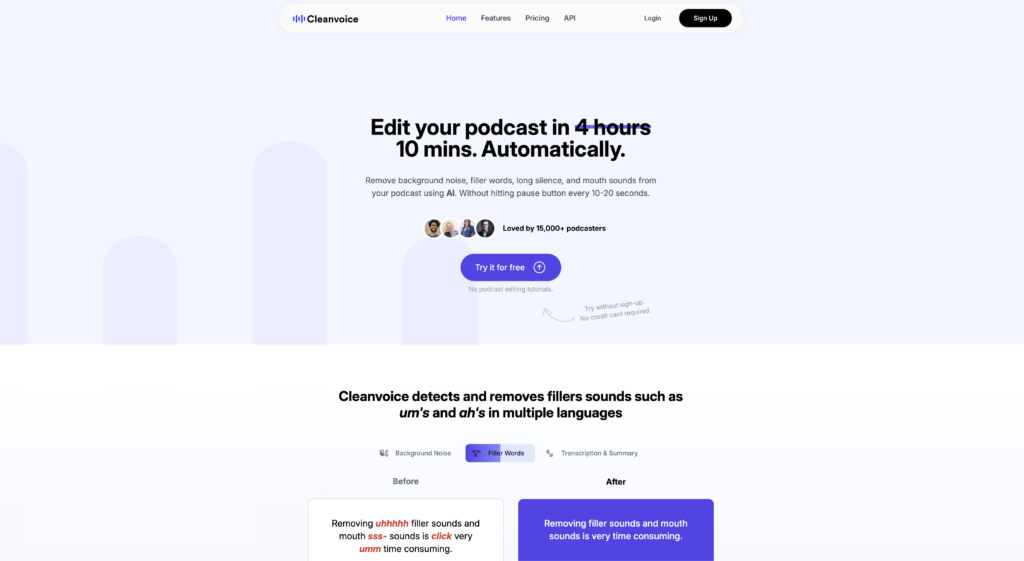
Introducing Cleanvoice AI, the ultimate solution for effortlessly eliminating filler words like “uh’s” and “um’s,” as well as lip-smacking and stuttering from your audio.
With its advanced artificial intelligence technology, Cleanvoice AI is not only multilingual, capable of detecting and removing filler sounds in various languages and accents, but it can also identify and eliminate clicking and dead air.
But that’s not all! Cleanvoice AI offers a unique timeline export feature, allowing you to export the timeline of your recordings to your editor. This feature empowers you with more control and saves you valuable time during the editing process.
Experience the power of Cleanvoice AI with our free 30-minute trial, no credit card required. Say goodbye to tedious editing and hello to flawless audio recordings.
Want to earn with the tools you are reading about?
The $50K AI Income Roadmap: 20 modern ways to earn with AI, with steps, prompts and real numbers. Free, one chapter a day.
Overview:
Cleanvoice AI is an advanced artificial intelligence tool designed to enhance audio recordings by removing filler words, mouth sounds, stuttering, and dead air. With its multilingual capabilities, it can effectively detect and eliminate filler sounds in various languages, including German and French, as well as accents from different countries. Additionally, Cleanvoice AI can identify and remove clicking, lip-smacking, and stuttering from recordings, ensuring a seamless listening experience.
One of the standout features of Cleanvoice AI is its timeline export functionality, which allows users to export the timeline of their recordings to their preferred editor. This feature enables users to have more control over the editing process and saves valuable time. By providing a visual representation of the suggested edits, Cleanvoice AI empowers users to make informed decisions about the final output of their recordings.
To make the tool accessible to all, Cleanvoice AI offers a free 30-minute trial without requiring any credit card information. This allows users to experience the benefits of Cleanvoice AI firsthand and determine its suitability for their specific needs. With its comprehensive range of features and user-friendly interface, Cleanvoice AI is a valuable tool for anyone seeking to enhance the quality and clarity of their audio recordings.
Benefits:
- Removes filler words (e.g. uh’s, um’s) and mouth sounds (e.g. lip-smacking) from audio recordings
- Removes stuttering and dead air from recordings
- Can detect and remove filler sounds in multiple languages including German and French, as well as accents from other countries
- Detects and removes clicking, lip-smacking, and stuttering from recordings
- Timeline export feature allows users to export the timeline of their recordings to their editor and have Cleanvoice show what it would like to edit, providing more control and saving time while editing
- Offers a free 30-minute trial with no credit card needed

The TechLaugh editorial team, led by founder Akshay Kumar Singh, tests AI tools on real marketing and creative work. We check pricing on the day of writing, note free-plan limits, and update guides when tools change or shut down.
Join the conversation