


































































































Shopify Agentic Storefronts: Sell Inside ChatGPT & Gemini
 Guide9 min read
☷Table of contents▾
Shopify agentic storefronts let people find and buy your products inside AI apps like ChatGPT, Google’s Gemini, and Microsoft Copilot. If your store is eligible, the feature is already on by default. You manage it from Sales channels > Agentic in your Shopify admin, and most merchants don’t need to build anything.
That short answer hides a lot of messy detail. Merchant forums keep asking the same things: where is the setting, why can’t I see it, and who takes a cut? This guide answers all of it, one question at a time, using Shopify’s own docs as the source for every claim.
Key takeaways
- Eligible Shopify stores are already listed in ChatGPT, Gemini, and Copilot by default. You manage it under Sales channels > Agentic.
- Shopify charges no extra fees. You pay only normal payment processing.
- ChatGPT buyers check out on your own store. Gemini, Copilot, and Meta can check out inside the chat.
- Clean product data and complete store policies matter more than any toggle.
What are Shopify agentic storefronts?
Agentic storefronts are Shopify’s system for listing your products inside AI chat apps. A shopper asks an AI assistant for a recommendation. The assistant shows real products with current prices. The shopper buys without ever opening Google or typing your web address.
The supported channels right now are ChatGPT, Google AI Mode and Gemini, Microsoft Copilot, and Meta. Shoppers were already asking ChatGPT and tools like ShopGPT for product picks. Agentic storefronts turn those answers into listings you control, with orders that land in your admin like any other sale.
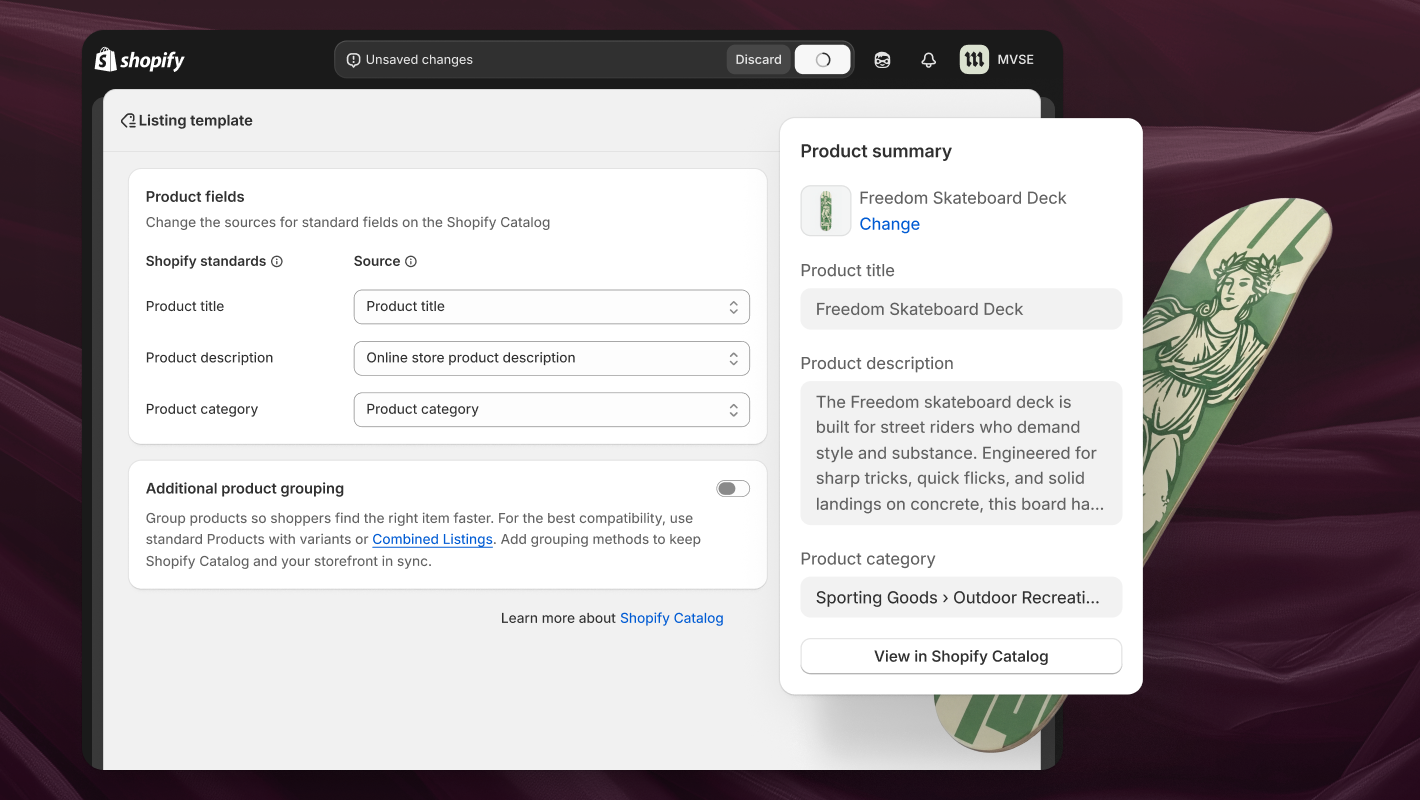
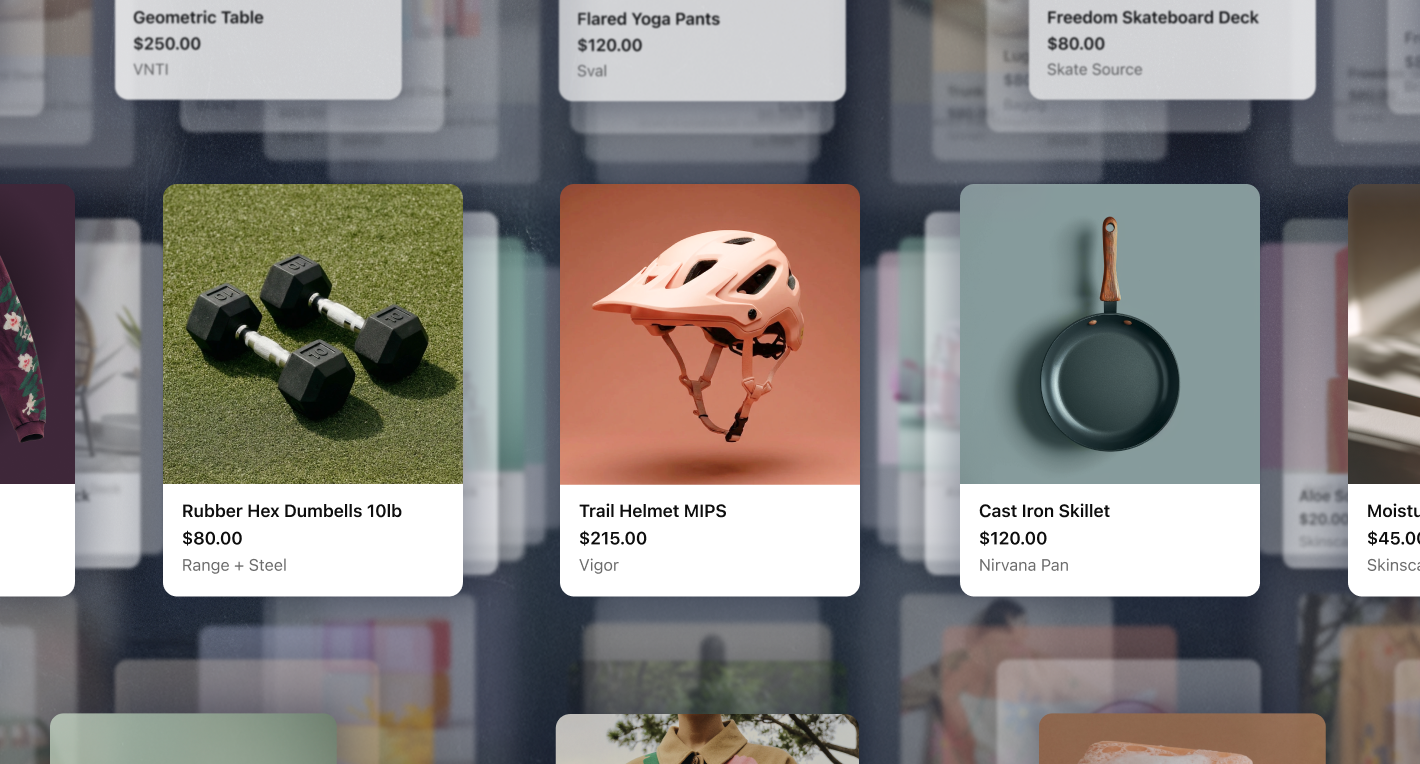
The engine under all of this is Shopify Catalog, a giant product index that AI assistants can search. Shopify says it uses special AI models to clean up product data across billions of products. So an assistant hunting for “waterproof trail runners under $150” gets accurate titles, prices, and stock levels instead of a guess. It fits a pattern Shopify has followed for a while, from Shopify Magic writing product content to Sidekick answering questions inside the admin.
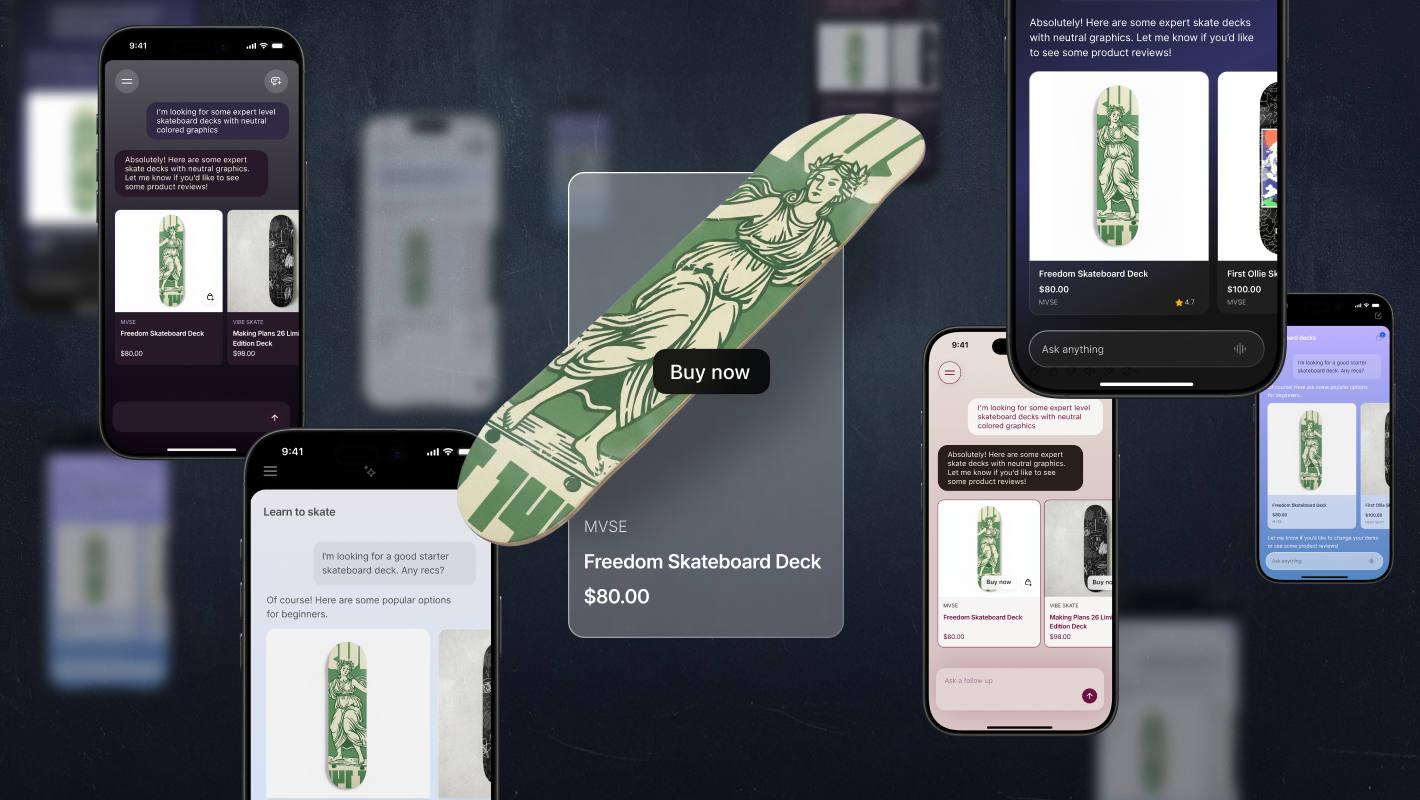
How does an order get from a chat to your admin?
A buyer describes what they want, and the AI assistant pulls matching products from Shopify Catalog. Checkout happens inside the chat or on your own store’s checkout page, depending on the channel. The order then shows up in your Shopify admin with attribution, so you know it came from an AI channel.
The two checkout paths matter. In ChatGPT, buyers complete the purchase on your own online store checkout. It opens in ChatGPT’s in-app browser or a new tab, so your branding and payment methods carry over. In Google AI Mode, Gemini, Copilot, and Meta, buyers can pay inside the chat through a Shopify-powered direct checkout. They pay by credit or debit card, and your discount codes and automatic discounts still work.
Either way, you stay the seller. Shopify states that you keep full ownership of the customer relationship and the post-purchase experience. Orders arrive with channel or referrer attribution, so your reports show what AI traffic is actually worth.
Who can use agentic storefronts?
Any store on the Starter plan or higher can qualify. Your products must meet Shopify Catalog requirements, and the ChatGPT and Copilot channels need you to sell to US customers. Google AI Mode and Gemini is still in early access, limited to stores based in the US, UK, Canada, or Australia.
Here is the readiness checklist, pulled from Shopify’s Catalog requirements and the per-channel help pages. Run through it before you go hunting for missing settings.
- Your store is on the Starter plan or higher and is not password protected.
- Each product has a title, at least one image, a price over $0, and a working product URL.
- Products are published to your Online Store, Hydrogen, or Headless channel. They are not unlisted or hidden from search engines.
- You ship to the United States or Canada (US sales are required for ChatGPT and Copilot).
- Your Terms of Service, Privacy Policy, and Return and Refund Policy are filled in under Settings > Policies.
- You have agreed to the Shopify Agentic Storefronts Supplemental Terms of Service.
- For Google AI Mode and Gemini: the Google & YouTube channel is installed with “Automatically sync products” and “Automatically sync shipping information” turned on.
- For Meta: the Facebook and Instagram by Meta channel is installed with product syncing on, and your store is based in the US.
- No sensitive or mature content, and nothing on the channel’s prohibited product lists.
How do you enable agentic storefronts?
Usually you don’t have to, and this is the single biggest point of confusion. Agentic storefronts is active by default for eligible stores. Shopify sends a notification to your admin when it’s available to you. Your job is to review the settings, not flip a master switch.
To see and manage what’s running:
Want to earn with the tools you are reading about?
The $50K AI Income Roadmap: 20 modern ways to earn with AI, with steps, prompts and real numbers. Free, one chapter a day.
- From your Shopify admin, go to Sales channels > Agentic.
- Review which AI channels are listed and active. By default, “Allow Shopify to manage for me” handles this automatically.
- To control channels yourself, deactivate Allow Shopify to manage for me.
- Click a channel, such as Google AI Mode and Gemini. Toggle Shopify Catalog access (whether your products appear there) or Direct checkout (whether buyers can pay in-chat).
- Click Save.
One note on timing. If you turn off Shopify Catalog access, Shopify says it can take up to 7 days before your product data stops being shared. The same steps work in reverse when you want out of a channel: open it, deactivate Shopify Catalog access, and save.
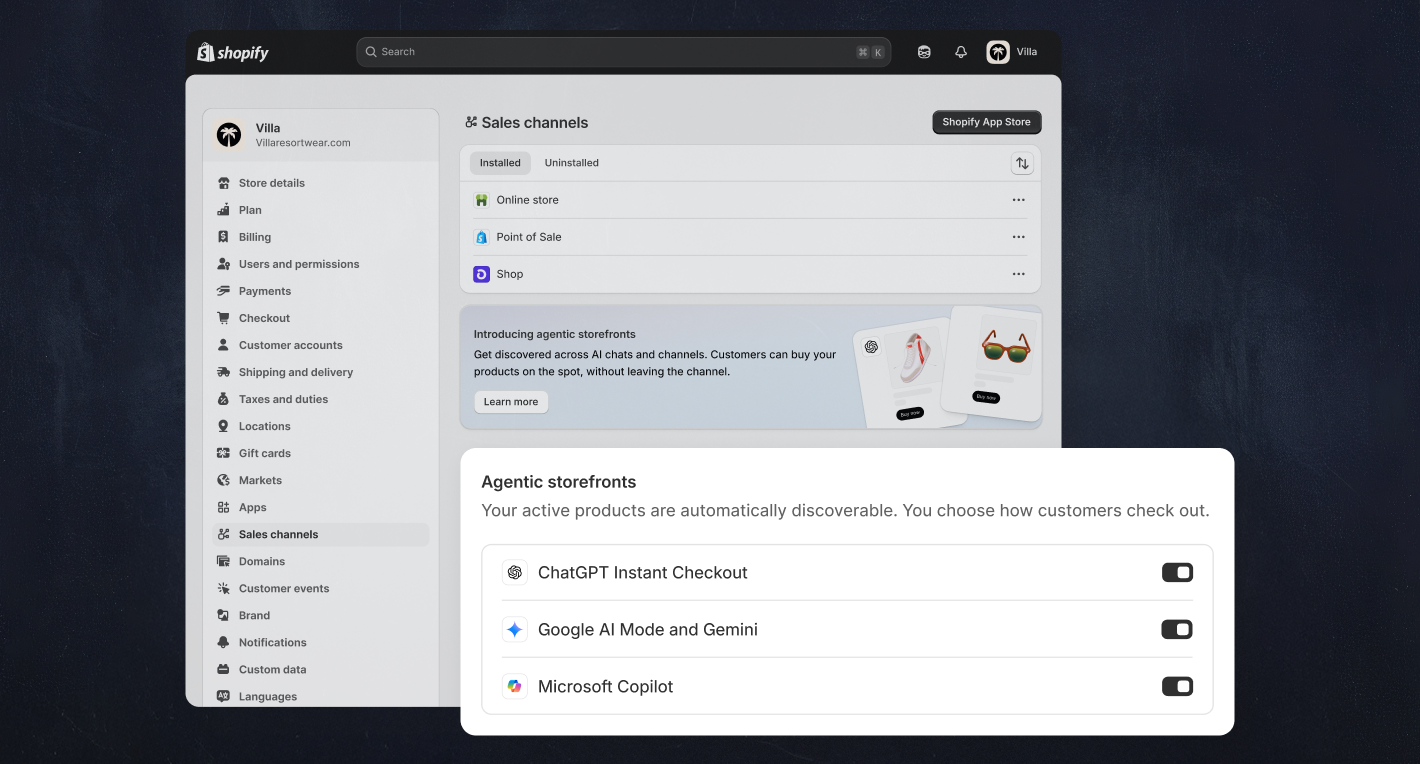
What do shoppers see in ChatGPT, Gemini, and Copilot?
Shoppers see product cards inside the conversation, with details and pricing pulled from your catalog. The buy path depends on the channel. The table below compares the three main channels using what Shopify’s help pages state today.
| Channel | Where checkout happens | Store eligibility | Extra channel fees | Status |
|---|---|---|---|---|
| ChatGPT | Your own store checkout, in ChatGPT’s in-app browser or a new tab. | Store must sell to US customers. | None; standard payment processing only. | Active by default for eligible stores. |
| Google AI Mode and Gemini | Shopify-powered direct checkout in the chat, shown to US buyers. | Store based in the US, UK, Canada, or Australia. | None; standard payment processing only. | Early access, not yet open to all stores. |
| Microsoft Copilot | Direct checkout in the chat, or a redirect to your store if you turn direct checkout off. | Store must sell to US customers; direct checkout shown to US buyers. | None; standard payment processing only. | Active by default for eligible stores. |
Meta has its own extra requirements. You need the Facebook and Instagram by Meta sales channel with product syncing turned on. Your products must still meet the Shopify Catalog rules. Both your store and your buyers must be in the United States. Meta’s direct checkout is in a limited release, so some buyers may still be sent to your online store to pay.
In the direct checkout channels, buyers tap Buy, enter shipping and card details, and confirm with a Pay Now button. They never leave the conversation. There are no extra fees for Meta’s direct checkout either; you pay only standard payment processing.
You also get some say in how the AI talks about you. Through the Knowledge Base app, Shopify lets you feed brand voice and store policies to the AI channels. That way the assistant answers questions about shipping or returns with your actual rules.
What does it cost?
Shopify charges no extra fees for selling through agentic storefronts. The help pages for ChatGPT, Google AI Mode and Gemini, Microsoft Copilot, and Meta all say the same thing. You pay only your standard payment processing fees, like an order from your own website.
Keep this separate from OpenAI’s Instant Checkout, which is a different program with its own economics. More on that in the FAQ below, because the two get mixed up constantly.
There is also a dedicated Shopify Agentic plan for businesses that don’t run on Shopify at all. It’s free to join and puts your products into Shopify Catalog without a Shopify online store. You pay only payment or transaction fees when something actually sells. The trade-off: it excludes the Online Store, gift card sales, manual order creation, and a few other standard features.
What are the limitations?
The in-chat direct checkout is deliberately simple, and that cuts both ways. Simple physical products work well; complex selling models don’t.
- Subscriptions, product bundles, digital products, customizable products, and B2B-only products are not supported in direct checkout.
- Buyers pay by credit or debit card only.
- Local delivery, pickup in store, and pickup points are not available.
- Custom pixels and Google Analytics don’t fire on direct checkout orders, so your third-party analytics will undercount AI sales. Use the admin’s channel attribution instead.
- You can’t require customers to sign in to an account before checkout. Some checkout customizations (custom fields, upsells, loyalty blocks) won’t display.
- Direct checkout appears for US-based buyers only. Google AI Mode and Gemini is still early access, and Meta’s direct checkout is in limited release.
- Shopify recommends putting any legal disclosures in the first 6,000 characters of a product description.
Heads up: your analytics will undercount AI sales
Custom pixels and Google Analytics do not fire on in-chat direct checkout orders. Your Shopify admin sees every AI order with channel attribution, so trust the admin numbers, not your dashboard.
Troubleshooting: the questions merchants actually ask
Why can’t I find Sales channels > Agentic in my admin?
Your store probably isn’t eligible yet or hasn’t been reached by the rollout. Shopify enables the feature per store and notifies you in the admin when it’s your turn. Google AI Mode and Gemini in particular is still early access. Check that you’re on Starter or higher, that your store isn’t password protected, and that you ship to the US or Canada.
Why aren’t my products showing up in ChatGPT?
Usually a product breaks a Catalog rule: a missing image, a $0 price, a product hidden from search engines, or a blank Return and Refund Policy. Fix the gap, then give it time to sync. Also remember that the AI decides relevance; being in the Catalog doesn’t guarantee placement for any given prompt.
Why don’t my buyers see the in-chat Buy button?
Direct checkout only appears for buyers based in the United States. It runs in Google AI Mode, Gemini, Microsoft Copilot, and Meta (limited release for Meta). For Google, it also requires the Google & YouTube channel with product and shipping sync turned on. ChatGPT never shows an in-chat Buy button through this integration; it always opens your store’s checkout.
I opted out. Why does ChatGPT still mention my store?
Opting out of Shopify Catalog removes your structured product listings. But Shopify notes it doesn’t stop AI tools from finding your public website through normal web crawling. If your store is on the open web, assistants can still read it the way any search engine does.
What should you do next?
Start by opening your admin and checking whether Sales channels > Agentic is there. If it is, review which channels are active. Then decide whether the default “managed by Shopify” setting suits you.
Then spend an hour on product data, because that’s what the AI actually reads. Clear titles, real images, accurate prices, and full descriptions with disclosures up front will do more than any toggle. Finish by completing your store policies. Check your order reports after a few weeks to see what the new channels are sending you.
Frequently asked questions
How do you sell on ChatGPT?+
What is ChatGPT Instant Checkout?+
What is the Shopify universal cart?+
Do you need a Shopify online store to sell in AI channels?+

The TechLaugh editorial team, led by founder Akshay Kumar Singh, tests AI tools on real marketing and creative work. We check pricing on the day of writing, note free-plan limits, and update guides when tools change or shut down.
Join the conversation