



































































































Claude Cowork vs Claude Code: Which One Do You Need? (2026)
 Comparison5 min read
☷Table of contents▾
Last updated: 23 August 2026 · Written from hands-on use.
Key takeaways
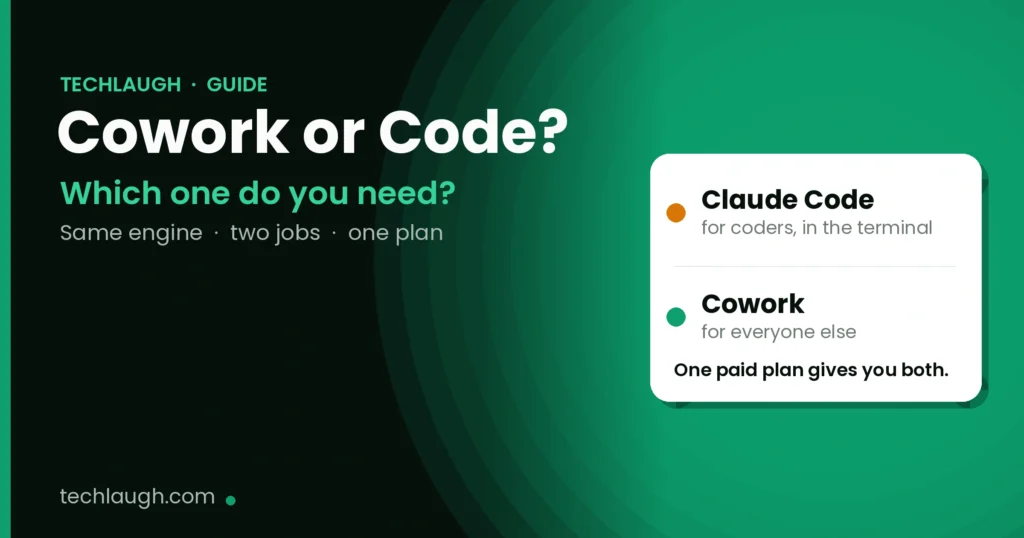
- Claude Code and Claude Cowork run on the same engine. They just do different jobs.
- Claude Code is for coders. It lives in the terminal and works on code.
- Cowork is for everyone else. It works on your files, docs, sheets, and research.
- You do not have to choose. One paid Claude plan gives you both.
You pay for one Claude plan. You get two powerful tools: Claude Code and Claude Cowork. But which one should you use?
Let me make it simple.
Both run on the same Claude engine. The difference is who they are built for, and where they work. By the end of this post, you will know exactly which one fits your day.
What is the real difference?
Think of one brain with two hands.
Claude Code is the hand that writes software. It lives in your terminal. It works on code: your repos, your tests, your bugs.
Claude Cowork is the hand that does office work. It lives inside the Claude app. It works on files, documents, spreadsheets, and research. No terminal needed.
What is Claude Code for?
Claude Code is for people who write code.
It works inside your terminal. You point it at your project. It reads your code, fixes bugs, writes new features, runs tests, and can even push the changes.
Let us understand this with an example. Say a test in your app keeps failing. You tell Claude Code to find the bug and fix it. It reads the files, spots the problem, writes the fix, and runs the test again to make sure it passes. You review and approve.
If your day happens in a code editor, this is your tool.
What is Claude Cowork for?
Cowork is for everyone else. The marketer. The founder. The analyst. You.
It works inside the Claude app, not a terminal. You give it a folder. You tell it what you want. It does the whole job and hands you the finished file.
Want to earn with the tools you are reading about?
The $50K AI Income Roadmap: 20 modern ways to earn with AI, with steps, prompts and real numbers. Free, one chapter a day.
Let us understand this with an example. Say you have 40 sales call notes in a folder. You tell Cowork to read them all and give you the top five things customers asked for. It reads every note and hands you one clean report. That is a full day of work, done in one run.
You can use Cowork to finish real tasks fast. And you can use it to make money too, by doing paid work in a fraction of the time.
Claude Cowork vs Claude Code: side by side
| Claude Cowork | Claude Code | |
|---|---|---|
| Made for | Files, docs, reports, office work | Writing and fixing code |
| Where it lives | The Claude app (desktop, web, phone) | The terminal and code editors |
| You get back | Sheets, decks, docs, clean folders | Code changes and fixes |
| How hard | Easy. If you can write a note, you can use it | Harder. You need to know the terminal |
| Plan needed | Any paid plan | Any paid plan |
So which one should you use?
Here is the simple rule.
If your day is spent writing code, use Claude Code.
If your day is spent in files, documents, and browser tabs, use Cowork.
Not sure? Ask yourself one question. Do you open a terminal to work? If yes, Claude Code. If no, Cowork.
Can you use both?
Yes. And many people do.
One paid Claude plan gives you both tools. So a developer can fix code with Claude Code in the morning, then use Cowork to build a report in the afternoon. You do not pay twice.
Ideas to try — real work, not busywork
These are real jobs people pay money for. You can do them yourself. Pick one and try it today.
- Give Claude Code a broken app. A test keeps failing and you cannot find why. Point Claude Code at the project. It finds the bug, fixes it, and proves the fix works. Hours of debugging, gone.
- Give Cowork a pile of messy data. You have two spreadsheets that should match but do not. Cowork finds every row that is wrong and tells you why. People pay an accountant for this.
- Turn research into a report with Cowork. Drop 30 PDFs in a folder. Ask for one clear summary with the key points and sources. A full day of reading, done in one run.
- Ship a small feature with Claude Code. Describe the feature in plain words. It writes the code, runs the tests, and hands you a change you can review. You can charge clients for this work.
What do they cost?
The good news: nothing extra. Both come with a paid Claude plan. The cheapest is Pro, at $20 a month (or $17 a month if you pay for the year). Max plans cost more and give you a bigger usage limit.
Want the full price breakdown for Cowork, and which plan is worth it? Read this to go deeper → Claude Cowork: what it does, who gets it, and what it costs.
Questions people ask
Is Claude Cowork the same as Claude Code?
No. They share the same engine but do different jobs. Claude Code is for writing code in a terminal. Cowork is for office work like files, docs, and research in the Claude app.
Do I need both?
No, but you get both. One paid Claude plan includes Claude Code and Cowork. Use whichever fits the task.
Which is easier for a non-coder?
Cowork. If you can write a short note explaining what you want, you can use it. Claude Code needs some comfort with the terminal.
Can Cowork write code too?
It can handle code files and small code tasks. But for real software work in a codebase, Claude Code is the better tool.
Do they cost extra?
No. Both are included in every paid Claude plan (Pro, Max, Team, Enterprise). The free plan does not include Cowork.
Read these to go deeper →

The TechLaugh editorial team, led by founder Akshay Kumar Singh, tests AI tools on real marketing and creative work. We check pricing on the day of writing, note free-plan limits, and update guides when tools change or shut down.
Join the conversation