
























































ChatGPT Summarizer
 Guide2 min read
☷Table of contents▾
ChatGPT Summarizer
Freemium
Instant YouTube Video Summaries!
VISIT WEBSITE
Introduction:
Are you tired of spending hours watching lengthy YouTube videos just to grasp the main points? Imagine having a tool that can summarize those videos for you in an instant. Introducing ChatGPT Summarizer, the ultimate solution for quick understanding.
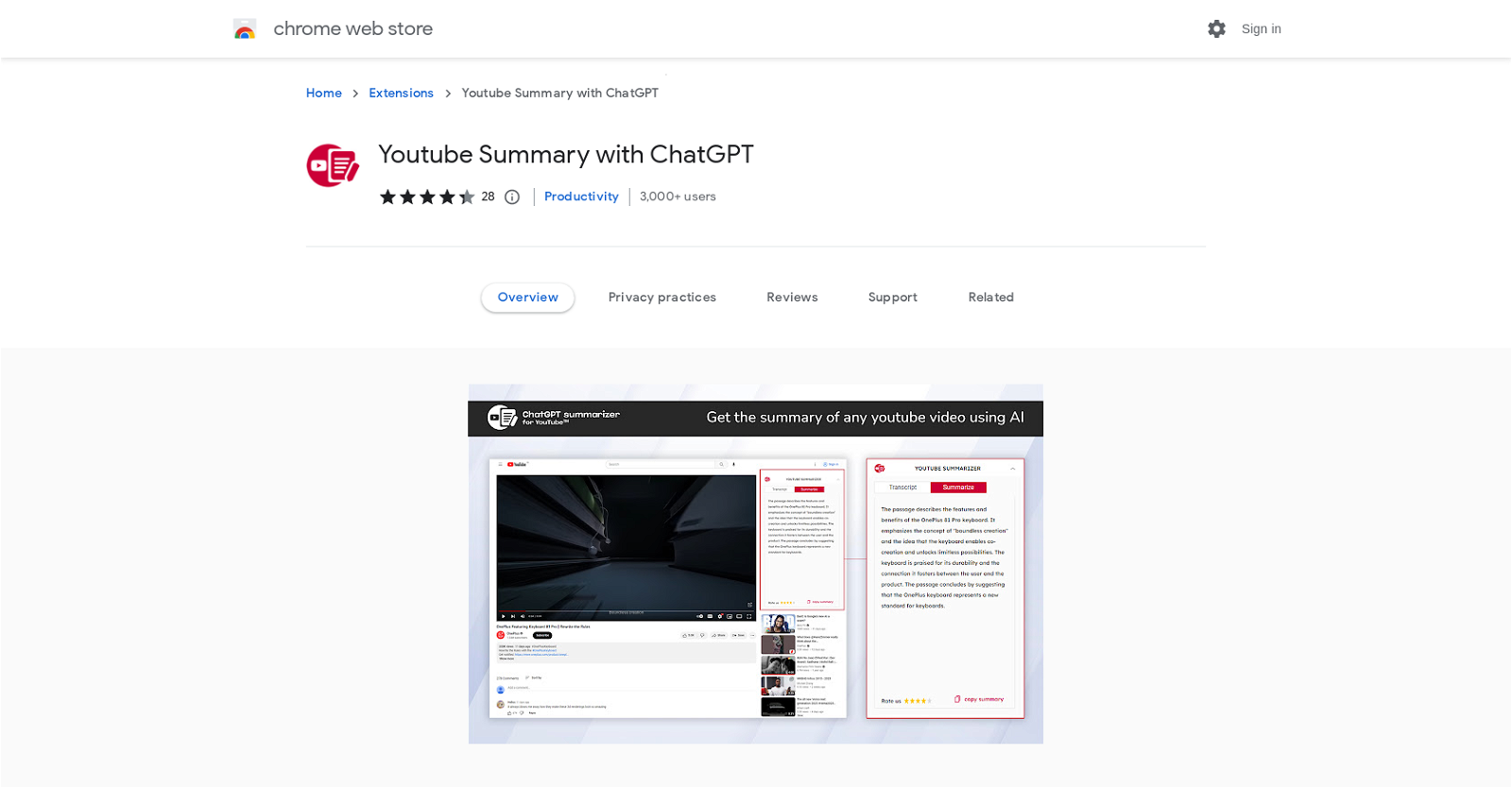
With our Chrome extension, you can access video summaries while browsing YouTube. No more wasting time on unnecessary content! With just one click, you can unlock the key points of any video without watching the entire thing. Our extension automatically extracts the crucial information, ensuring you never miss out on important insights and messages.
But that’s not all. We provide time-stamped summaries, allowing you to navigate to specific parts of the video effortlessly. Share and reference those specific moments with ease. Our user-friendly interface guarantees a seamless experience, delivering accurate and comprehensive summaries without any information loss.
Ready to save time and gain quick understanding? Install our extension by clicking “Add to Chrome” and start enjoying the benefits. Say goodbye to lengthy videos and hello to efficient learning with ChatGPT Summarizer.
Want to earn with the tools you are reading about?
The $50K AI Income Roadmap: 20 modern ways to earn with AI, with steps, prompts and real numbers. Free, one chapter a day.
Overview:
The YouTube Summary with ChatGPT Chrome extension is a powerful AI tool that allows users to access video summaries while browsing YouTube. With just one click, users can view and access the key points of a video without having to watch the entire thing. The extension automatically summarizes lengthy YouTube videos without losing important information. It can recognize and extract the key points, insights, and messages of the video.
Additionally, the extension provides time-stamped summaries, allowing viewers to quickly navigate to specific parts of the video they want to watch. This feature also enables easy sharing and referencing of specific parts of the video. The extension has a user-friendly interface that makes it easy to use. It accurately provides the key points of a video without missing any important information.
To use the extension, users need to install it by clicking on the “Add to Chrome” button and then play any video with captions. At the top right corner, there are two options – Transcript and Summarizer – where users can click based on their requirement. The extension is a helpful tool for those who want to quickly understand the key points of a video without investing the time to watch the entire video.
Benefits:
- Allows users to access video summaries while browsing YouTube
- Provides key points of a video without having to watch the entire thing
- Automatically summarizes lengthy YouTube videos without losing important information
- Recognizes and extracts key points, insights, and messages of the video
- Provides time-stamped summaries for easy navigation and referencing

The TechLaugh editorial team, led by founder Akshay Kumar Singh, tests AI tools on real marketing and creative work. We check pricing on the day of writing, note free-plan limits, and update guides when tools change or shut down.