





























































































Expense Sorted
 Guide2 min read
☷Table of contents▾
Expense Sorted
Freemium
Expense Sorted: Streamlined Budgeting Solution
VISIT WEBSITE
Introduction:
Are you tired of spending hours manually categorizing your monthly expenses?
Introducing Expense Sorted, the AI-powered tool that revolutionizes budget management through automated expense tracking.
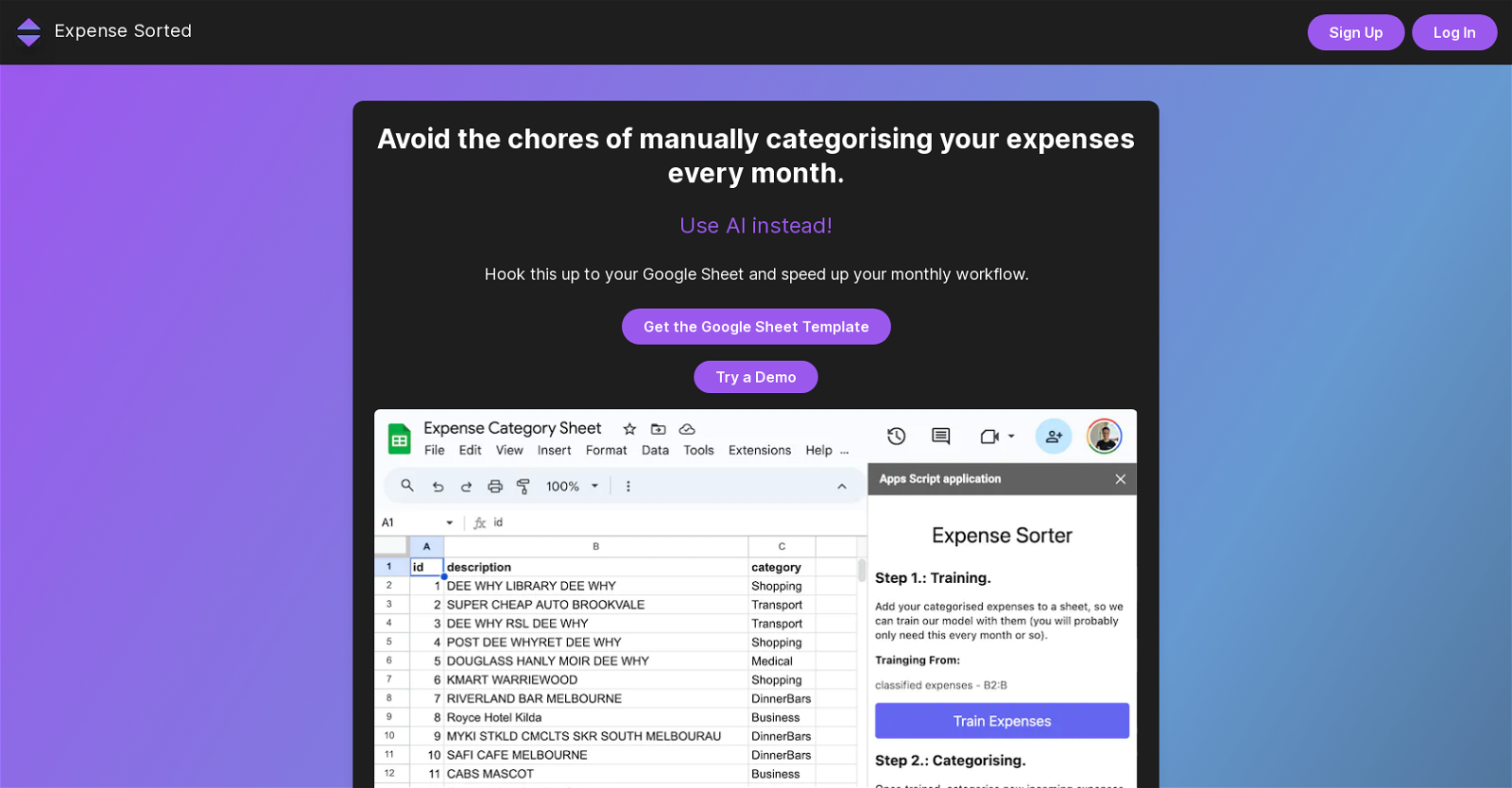
By seamlessly connecting to your Google Sheet, Expense Sorted simplifies your budgeting tasks, ensuring timely and efficient management.
With advanced AI algorithms, this tool accurately categorizes your transactions, eliminating the need for manual oversight.
Experience peace of mind with Expense Sorted’s secure integration with Google Sheets, prioritizing privacy and data protection through OAuth 2.0.
Enjoy a seamless user experience with a streamlined interface, saving you valuable time and effort.
Customize your expense classification to suit your personal or business needs, adapting Expense Sorted to different contexts.
While the AI is highly accurate, you retain complete control and accuracy with a user interface for manual adjustments.
Want to earn with the tools you are reading about?
The $50K AI Income Roadmap: 20 modern ways to earn with AI, with steps, prompts and real numbers. Free, one chapter a day.
Join the satisfied users who have praised Expense Sorted for its efficiency and accuracy in transforming their monthly budgeting routines.
For small business owners, Expense Sorted’s AI-driven classification saves significant time on a monthly basis.
In summary, Expense Sorted offers automatic expense categorization, secure Google Sheets integration, a streamlined user interface, accurate transaction identification, and customizable categories. It is the ultimate solution for efficient expense management and budgeting tasks.
Overview:
Expense Sorted is an AI-powered tool that helps users automatically categorize their monthly expenses. By connecting the app to their Google Sheet, users can easily manage their budgeting tasks in a timely manner. The tool utilizes advanced AI algorithms to accurately categorize transactions, reducing the need for manual oversight.
One notable feature of Expense Sorted is its secure integration with Google Sheets, ensuring privacy and data protection. The tool prioritizes security by utilizing OAuth 2.0 and does not store any user data. Additionally, the interface is designed to provide a seamless user experience, streamlining the workflow and saving users valuable time.
Expense Sorted offers customizable categories, allowing users to personalize the expense classification to suit their personal or business needs. Users have the flexibility to add or modify categories as desired, making the tool adaptable to different contexts.
While the AI is highly accurate, Expense Sorted also provides a user interface for manual adjustments if necessary. This allows users to intervene and make changes whenever needed for complete control and accuracy.
The tool has received positive feedback from users who appreciate its efficiency and accuracy in transforming their monthly budgeting routines. Small business owners particularly find value in the AI-driven classification, as it saves them significant time on a monthly basis.
In summary, Expense Sorted is an AI tool that offers automatic expense categorization, secure Google Sheets integration, a streamlined user interface, accurate transaction identification, and customizable categories. It is an efficient solution for managing monthly expenses and budgeting tasks.
Benefits:
- Automatic expense categorization
- Secure integration with Google Sheets
- Streamlined user interface
- Accurate transaction identification
- Customizable categories

The TechLaugh editorial team, led by founder Akshay Kumar Singh, tests AI tools on real marketing and creative work. We check pricing on the day of writing, note free-plan limits, and update guides when tools change or shut down.