



































































































PDF Coach
 Guide2 min read
☷Table of contents▾
PDF Coach
Freemium
Boost Efficiency with PDF Coach
VISIT WEBSITE
Introduction:
Are you tired of spending hours sifting through endless PDF documents, struggling to find the information you need?
Introducing PDF Coach, the AI-powered solution that revolutionizes PDF management and editing.
With PDF Coach, you can enhance your productivity and efficiency by effortlessly organizing, annotating, and extracting key information from your PDFs.
Experience the power of artificial intelligence as PDF Coach automatically extracts text from scanned documents, making content manipulation a breeze.
But that’s not all – PDF Coach also offers advanced editing capabilities, allowing you to merge, split, and convert PDFs with ease.
Say goodbye to the frustration of navigating complex interfaces, as PDF Coach provides a user-friendly experience with intuitive navigation.
Want to earn with the tools you are reading about?
The $50K AI Income Roadmap: 20 modern ways to earn with AI, with steps, prompts and real numbers. Free, one chapter a day.
Unlock your full potential with AI-powered suggestions and recommendations that improve your writing and communication skills.
Refine your thoughts and ideas effortlessly with PDF Coach – the ultimate tool for enhanced PDF management and editing efficiency.
Overview:
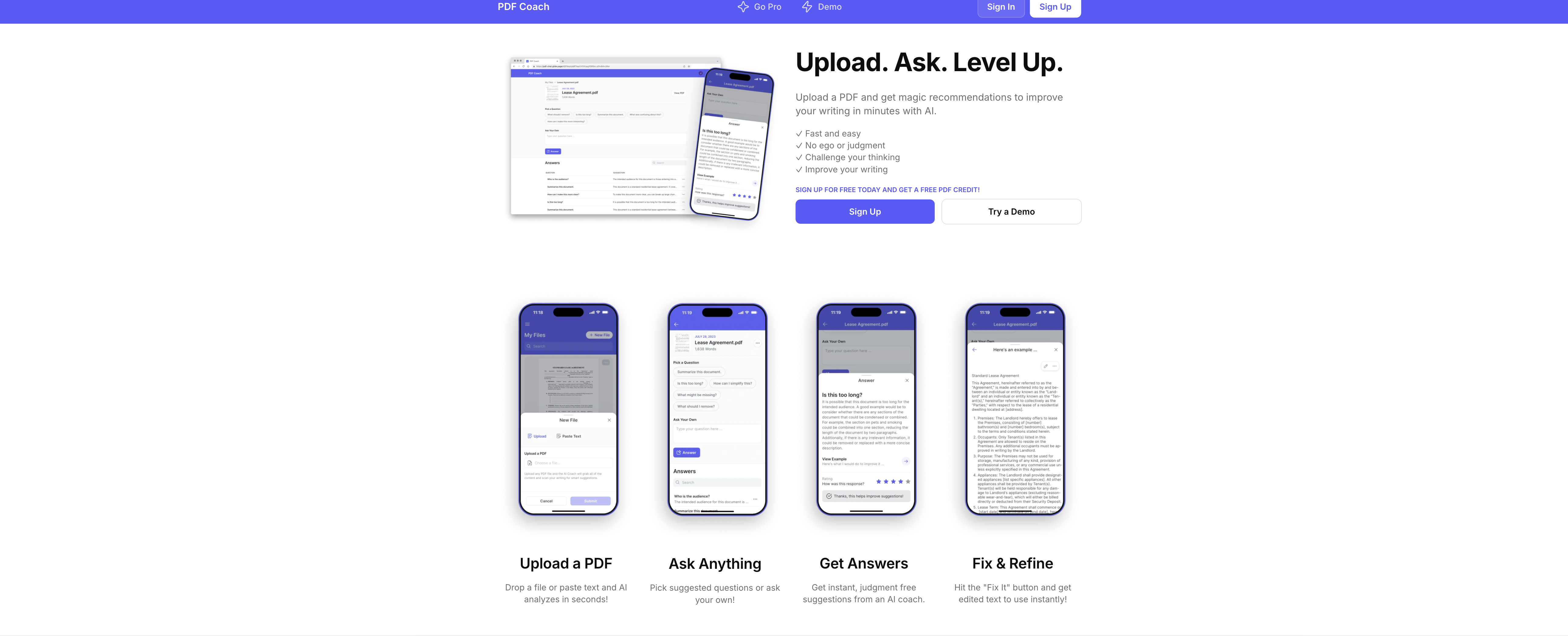
PDF Coach is an AI tool designed to assist users in refining their thoughts and ideas. This tool enables users to enhance their productivity and efficiency when working with PDF documents. With PDF Coach, users can expect streamlined workflows and improved document organization.
By leveraging artificial intelligence, PDF Coach offers a range of features to enhance document processing. Users can annotate PDFs, extract and summarize key information, and efficiently manage their documents. PDF Coach can also automatically extract text from scanned documents using optical character recognition (OCR) technology, making it easier to search and manipulate content.
Additionally, PDF Coach provides users with advanced editing capabilities. Users can merge multiple PDFs, split large files into smaller ones, and reorder pages with ease. The tool also offers options for converting PDFs to various file formats, such as Word or Excel, and vice versa.
Furthermore, PDF Coach offers a user-friendly interface with intuitive navigation, ensuring that users can quickly adapt to the tool and maximize their productivity. The AI-powered suggestions and recommendations provided by PDF Coach enable users to improve their writing and communication skills.
Overall, PDF Coach is a valuable tool for individuals looking to refine their thoughts and ideas through streamlined document management, annotation, extraction, editing, and conversion capabilities.
Benefits:
- Streamlined workflows and improved document organization
- Annotate PDFs, extract and summarize key information, and efficiently manage documents
- Automatically extract text from scanned documents using OCR technology
- Advanced editing capabilities such as merging, splitting, and reordering pages
- Options for converting PDFs to various file formats and vice versa

The TechLaugh editorial team, led by founder Akshay Kumar Singh, tests AI tools on real marketing and creative work. We check pricing on the day of writing, note free-plan limits, and update guides when tools change or shut down.