



































































































Ready to Send
 Guide2 min read
☷Table of contents▾
Ready to Send
Free from $9/mo
Boost Inbox Efficiency with Ready-to-Send
VISIT WEBSITE
Introduction:
Are you tired of spending valuable time crafting email responses?
Introducing Ready to Send, an AI-powered Gmail add-on designed to revolutionize your inbox management.
With Ready to Send, you can effortlessly draft personalized email replies without any setup or credit card requirement.
By leveraging AI technology, this innovative tool generates intelligent and contextual draft responses that match your voice and tone.
Whether you need to respond to general inquiries or provide specific instructions, Ready to Send has got you covered.
Seamlessly integrating with various devices and email clients, it ensures easy access and efficient email management.
Experience hyper-productivity, automate customer support, and achieve Inbox Zero with Ready to Send.
Want to earn with the tools you are reading about?
The $50K AI Income Roadmap: 20 modern ways to earn with AI, with steps, prompts and real numbers. Free, one chapter a day.
Your data privacy and security are our top priorities, as we adhere to all necessary regulations.
Say goodbye to time-consuming email drafting and say hello to Ready to Send – the ultimate solution for efficient email management.
Overview:
Ready to Send is an AI-powered Gmail add-on that automates the process of drafting email replies. It operates in the background, generating personalized draft responses for new emails without any setup or credit card requirement. The tool allows users to effortlessly manage their inbox and boost productivity by saving time on crafting responses manually.
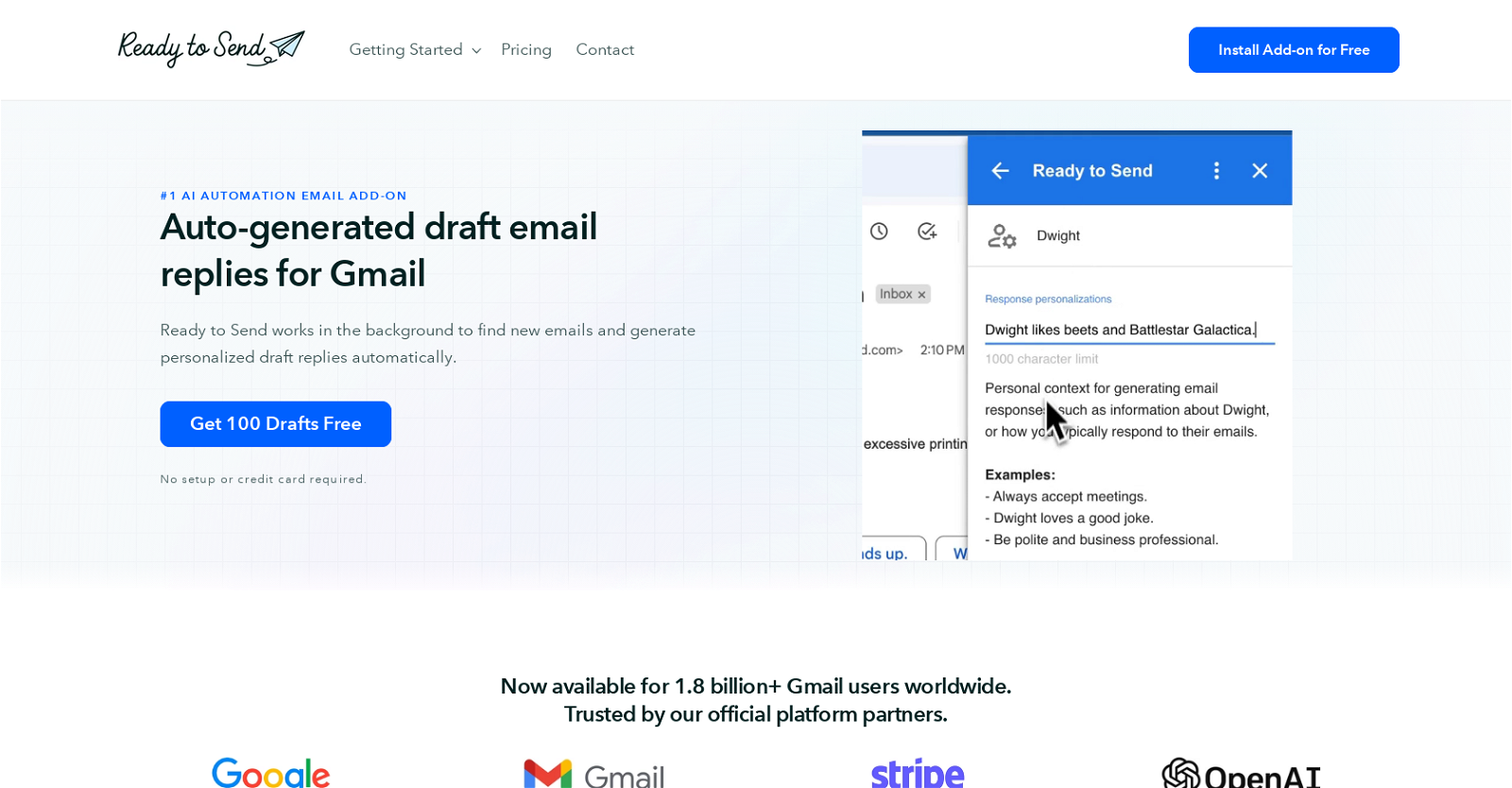
By leveraging AI technology, Ready to Send creates intelligent and contextual email replies that match the user’s voice and tone. It offers the flexibility to describe how to respond to general questions or provide specific instructions for each individual. Users have the option to review and edit the draft responses according to their preferences before sending.
The tool seamlessly integrates with various devices and email clients, such as official Gmail apps, Apple Mail, and Outlook. Draft responses automatically appear alongside new, unread emails, ensuring easy access and efficient email management.
Ready to Send caters to professionals, businesses, and individuals, offering new possibilities for hyper-productivity. It enables users to increase communication velocity, automate customer support responses, and achieve Inbox Zero by quickly responding to emails with thoughtful and ready-to-send replies.
Data privacy and security are prioritized, with Ready to Send adhering to all required data protection regulations. Leveraging Google’s infrastructure, emails are not stored, and AI language models are not trained on user messages.
The tool supports over 100 languages, detects the language of incoming emails, and responds appropriately. It scans the inbox for meaningful emails requiring a response and filters out newsletters, promotions, and automated notifications. Draft messages are generated within minutes of receiving an email, and users have full control to edit, delete, or regenerate them as needed.
Ready to Send also allows users to compose new emails by describing the message, and a complete email, including salutation and signature, is generated for review before sending.
Benefits:
- Automates the process of drafting email replies
- Operates in the background without any setup or credit card requirement
- Creates intelligent and contextual email replies that match the user’s voice and tone
- Seamlessly integrates with various devices and email clients
- Prioritizes data privacy and security

The TechLaugh editorial team, led by founder Akshay Kumar Singh, tests AI tools on real marketing and creative work. We check pricing on the day of writing, note free-plan limits, and update guides when tools change or shut down.