




































































Uncrop by Stability AI
 GuideFree plan2 min read
☷Table of contents▾
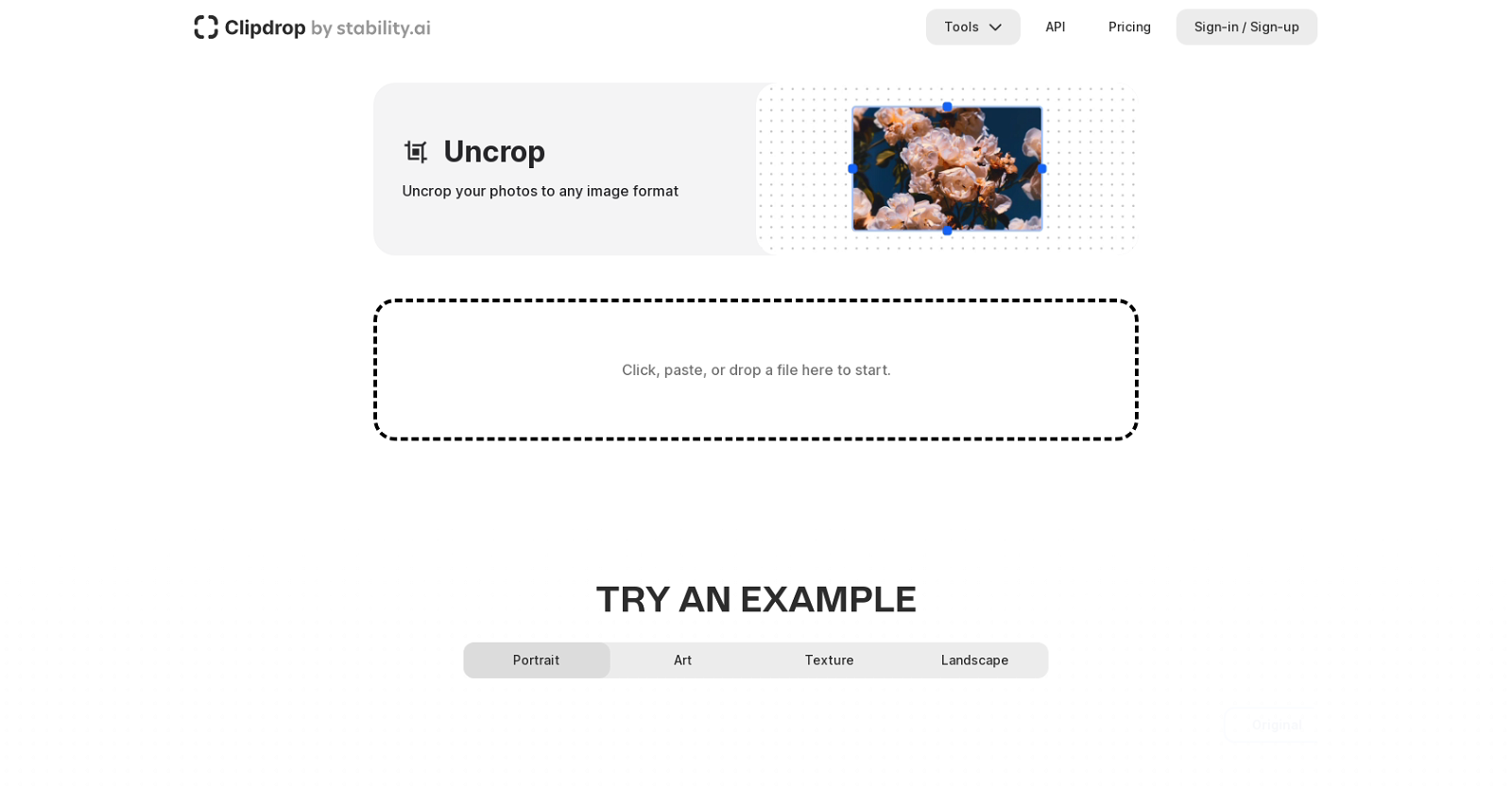
Uncrop by Stability AI
Free from €7/mo
Revive Photos with Uncrop Magic!
VISIT WEBSITE
Introduction:
Are you tired of being limited by the aspect ratio of your photos?
Imagine having the power to uncrop your images and transform their backgrounds effortlessly.
Introducing Uncrop by Stability AI, a revolutionary tool that harnesses the capabilities of artificial intelligence to expand and resize your photos with ease.
With Uncrop, you can now break free from the constraints of traditional cropping and create stunning compositions that breathe new life into your cherished memories.
Powered by ClipDrop’s unique technology, this user-friendly tool allows you to generate images that match any desired aspect ratio, while seamlessly extending and transforming the backgrounds.
Want to earn with the tools you are reading about?
The $50K AI Income Roadmap: 20 modern ways to earn with AI, with steps, prompts and real numbers. Free, one chapter a day.
Whether you’re a beginner or a professional, Uncrop provides you with precise and efficient editing features that are easy to use.
Simply upload your images, select a new aspect ratio, and let Uncrop work its magic, generating high-resolution realistic images that will leave you in awe.
But that’s not all! ClipDrop also offers a range of other image processing tools, including an image upscaler, text remover, background remover, and relight.
Experience the power of AI and unlock endless possibilities with Uncrop by Stability AI. Sign up for an account on ClipDrop’s website today and witness the transformation of your photos like never before.
Don’t miss out on this opportunity to uncrop your photos, create stunning compositions, and unleash your creativity with AI technology.
Overview:
ClipDrop is an AI-powered tool that enables users to edit the aspect ratio of their photos by expanding and transforming backgrounds. It allows users to uncrop their photos to any desired image format, generating new images that match the selected aspect ratio.With ClipDrop’s unique technology, users can easily create stunning compositions by generating and extending the body or backgrounds of their cherished photos, breathing new life into portraits.The Uncrop tool is user-friendly, with different upload options such as click, paste, or drop a file. ClipDrop also offers other image processing tools like image upscaler, text remover, background remover, and relight.The foundation model behind ClipDrop is created by stability.ai. The official stable diffusion demo of ClipDrop’s foundation model is available for free testing on the stability.ai website.To use the Uncrop tool, users can upload their images, select a new aspect ratio, and let the tool generate the images that match the aspect ratio while expanding and transforming the backgrounds.ClipDrop is designed for beginners and professionals, providing editing features that are easy to use, precise, and efficient. To use the tool and access other features and tools, users have to sign up for an account on ClipDrop’s website.The tool also offers an API and has different pricing options for commercial and personal use. With ClipDrop, users can uncrop their photos with ease, create stunning compositions, and generate high-resolution realistic images with AI technology.
Benefits:
- Allows users to uncrop their photos to any desired image format
- Generates new images that match the selected aspect ratio
- Enables users to easily create stunning compositions by generating and extending the body or backgrounds of their photos
- Provides a user-friendly interface with different upload options
- Offers other image processing tools like image upscaler, text remover, background remover, and relight

The TechLaugh editorial team, led by founder Akshay Kumar Singh, tests AI tools on real marketing and creative work. We check pricing on the day of writing, note free-plan limits, and update guides when tools change or shut down.