



































































































AfterShoot
 Guide2 min read
☷Table of contents▾
Effortless Photo Curation with AfterShoot
Introduction:
Are you tired of spending countless hours sifting through hundreds of photos to find the perfect shots?
Introducing AfterShoot, the efficient photo curation software designed specifically for professionals.
With AfterShoot, you can say goodbye to the tedious task of manually selecting and rating your images. This powerful tool automatically analyzes your collection, identifying the best photos and providing you with a streamlined selection process.
Compatible with both Mac and Windows, AfterShoot has become the go-to choice for photographers and image professionals seeking to save time and effort. Users have praised its efficiency, with many reporting that it has reduced their culling process to under an hour.
Just like a trusted camera, AfterShoot’s algorithm can be relied upon to turn entire collections around for delivery in a fraction of the time. And with a 30-day free trial and flexible cancellation policy, it’s never been easier to experience the benefits of this time-saving software.
Want to earn with the tools you are reading about?
The $50K AI Income Roadmap: 20 modern ways to earn with AI, with steps, prompts and real numbers. Free, one chapter a day.
Streamline your photo curation process with AfterShoot and discover a new level of efficiency in your workflow.
Overview:
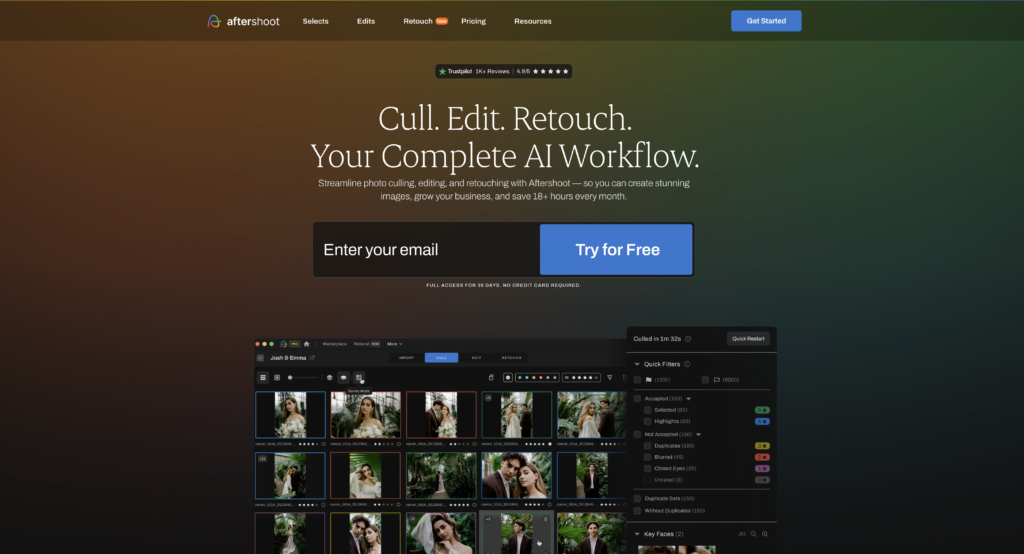
AfterShoot is a photo culling software designed to save time and effort for photographers and other image professionals. It automatically selects the best photos from a collection and rates them, providing users with a quick and easy way to select and export their final images.
Compatible with both Mac and Windows, AfterShoot is trusted and praised by professionals for its efficiency. Many users have reported that it has significantly reduced their culling process to under an hour.
AfterShoot’s algorithm is designed to be trusted and relied upon, just like a camera. It allows users to turn entire collections around for delivery in a fraction of the time, making it an invaluable tool for busy photographers and image professionals.
To ensure customer satisfaction, AfterShoot offers a 30-day free trial and allows users to cancel at any time. This flexibility makes it an ideal solution for those looking to save time and effort on their image processing tasks.
Benefits:
- Time-saving: AfterShoot automates the photo culling process, saving photographers and image professionals valuable time and effort.
- Efficiency: Many users have reported that AfterShoot has significantly reduced their culling process to under an hour, making it a highly efficient tool.
- Trusted algorithm: AfterShoot’s algorithm is designed to be reliable and trustworthy, ensuring that users can confidently rely on its selections.
- Compatibility: AfterShoot works seamlessly on both Mac and Windows operating systems, making it accessible to a wide range of users.
- Free trial and flexible cancellation: AfterShoot offers a 30-day free trial and can be cancelled at any time, allowing users to try it out risk-free and decide if it meets their needs.

The TechLaugh editorial team, led by founder Akshay Kumar Singh, tests AI tools on real marketing and creative work. We check pricing on the day of writing, note free-plan limits, and update guides when tools change or shut down.
Join the conversation