



































































































Ultimate Toolbar GPT
 Guide2 min read
☷Table of contents▾
Boost Productivity with Ultimate Toolbar!
Introduction:
Are you tired of spending hours typing away at your keyboard, trying to find the right words? Do you wish there was a way to automate your writing process and boost your productivity?
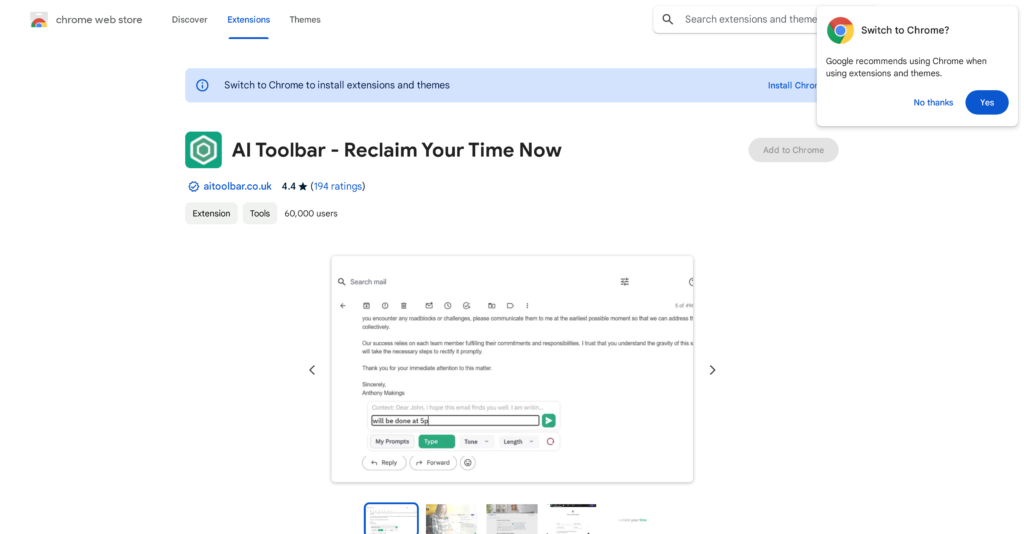
Introducing Ultimate Toolbar GPT – ChatGpt Productivity, the ultimate solution for voice-guided writing automation. This powerful Chrome extension is specifically designed to enhance productivity while using OpenAI’s ChatGpt API.
With Ultimate Toolbar GPT, you gain access to a wide range of features that can significantly improve your skills. The prompt builder alone offers over 300 combinable options, including tones, types, lengths, purposes, and even support for Excel. This means you can create customized conversations and written content effortlessly.
But that’s not all – one standout feature of this tool is voice prompts. Now, you can speak to ChatGpt instead of typing, making it convenient for those who prefer dictating their ideas. And with easy export options in Word and PDF formats, sharing your work with others has never been more efficient.
Ultimate Toolbar GPT goes beyond voice-guided writing automation. It also offers automation tools like plagiarism detection, chatbots, and website builders, among others. These additional features further enhance productivity and enable you to generate high-quality outputs.
Want to earn with the tools you are reading about?
The $50K AI Income Roadmap: 20 modern ways to earn with AI, with steps, prompts and real numbers. Free, one chapter a day.
Whether you’re a writer, student, or professional, Ultimate Toolbar GPT – ChatGpt Productivity is the valuable tool you need to maximize your productivity. Elevate your skills, accomplish tasks efficiently, and unlock your true potential with this game-changing AI-powered extension.
Overview:
Ultimate Toolbar GPT – ChatGpt Productivity is a powerful and efficient tool that is available as a Chrome extension. It is designed to enhance productivity while using OpenAI’s ChatGpt API. With Ultimate Toolbar GPT, users can access a range of features that can significantly improve their skills. This toolbar offers a prompt builder with over 300 combinable options, including tones, types, lengths, purposes, and even support for Excel. Users can create customized conversations and written content using these prompts.
One notable feature of this tool is voice prompts, which enables users to speak to ChatGpt instead of typing. This makes it convenient for users who prefer dictating their ideas. The tool also allows for easy export of outputs in Word and PDF formats, enabling efficient sharing of work with others.
Additionally, Ultimate Toolbar GPT offers automation tools such as plagiarism detection, chatbots, and website builders, among others. These tools further enhance productivity and can be utilized to generate high-quality outputs.
While the extension supports multiple languages, it is important to note that they have used Google Translate for translation, and any inaccuracies can be reported for weekly improvements.
Overall, Ultimate Toolbar GPT – ChatGpt Productivity is a valuable tool for maximizing productivity while working with the ChatGpt API. Its features, including the prompt builder, voice prompts, and automation tools, empower users to elevate their skills and efficiently accomplish tasks.
Benefits:
- Enhances productivity while using OpenAI’s ChatGpt API
- Offers a prompt builder with over 300 combinable options
- Allows users to create customized conversations and written content
- Enables voice prompts for users who prefer dictating their ideas
- Provides automation tools such as plagiarism detection, chatbots, and website builders

The TechLaugh editorial team, led by founder Akshay Kumar Singh, tests AI tools on real marketing and creative work. We check pricing on the day of writing, note free-plan limits, and update guides when tools change or shut down.
Join the conversation